 Git Nav
A Git client that hides the commits nobody points at.
Git Nav is a free, open-source desktop Git client for macOS, Windows and Linux. Keep branches, tags and worktrees visible, compare changes, stage and commit, and preview operations before you run them.
macOS, Windows and Linux. Free and open source.
Or install it from npm with npm install --global git-nav.
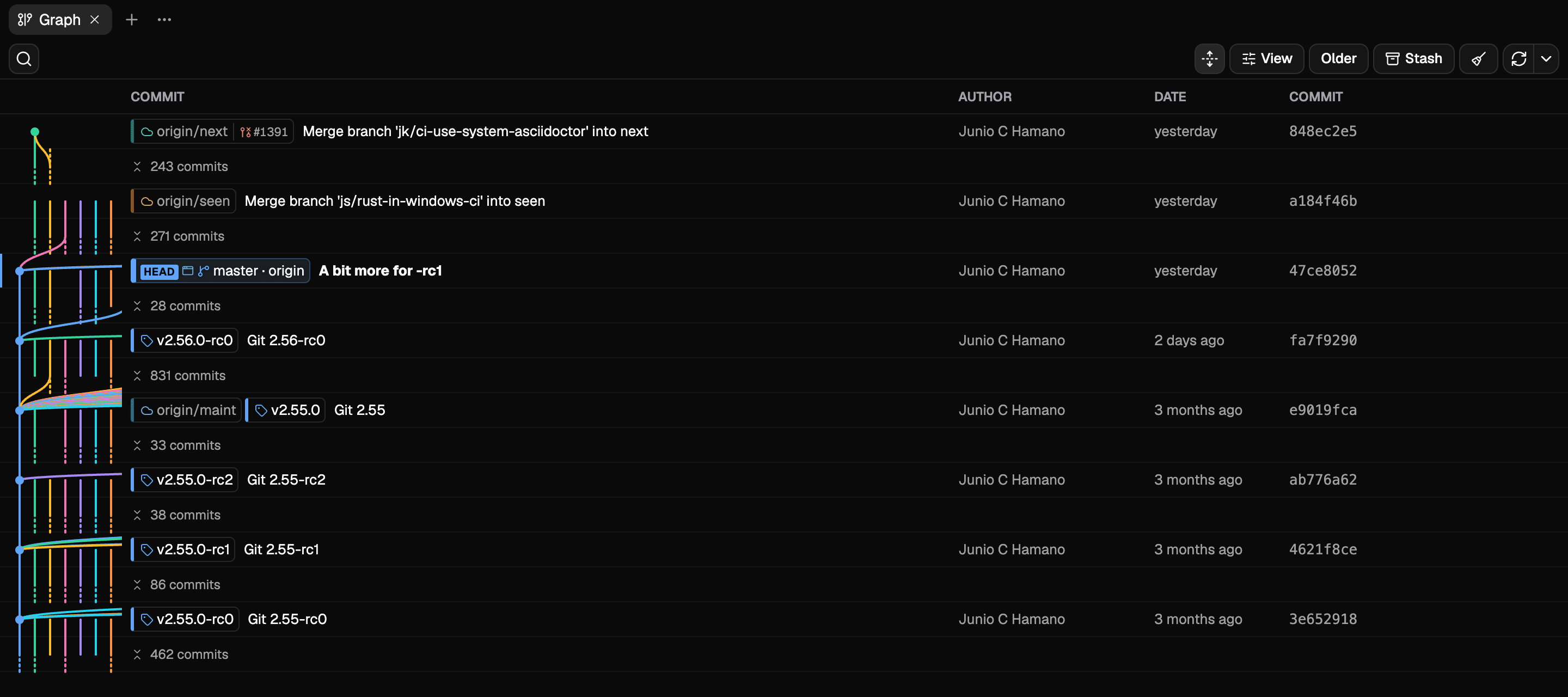
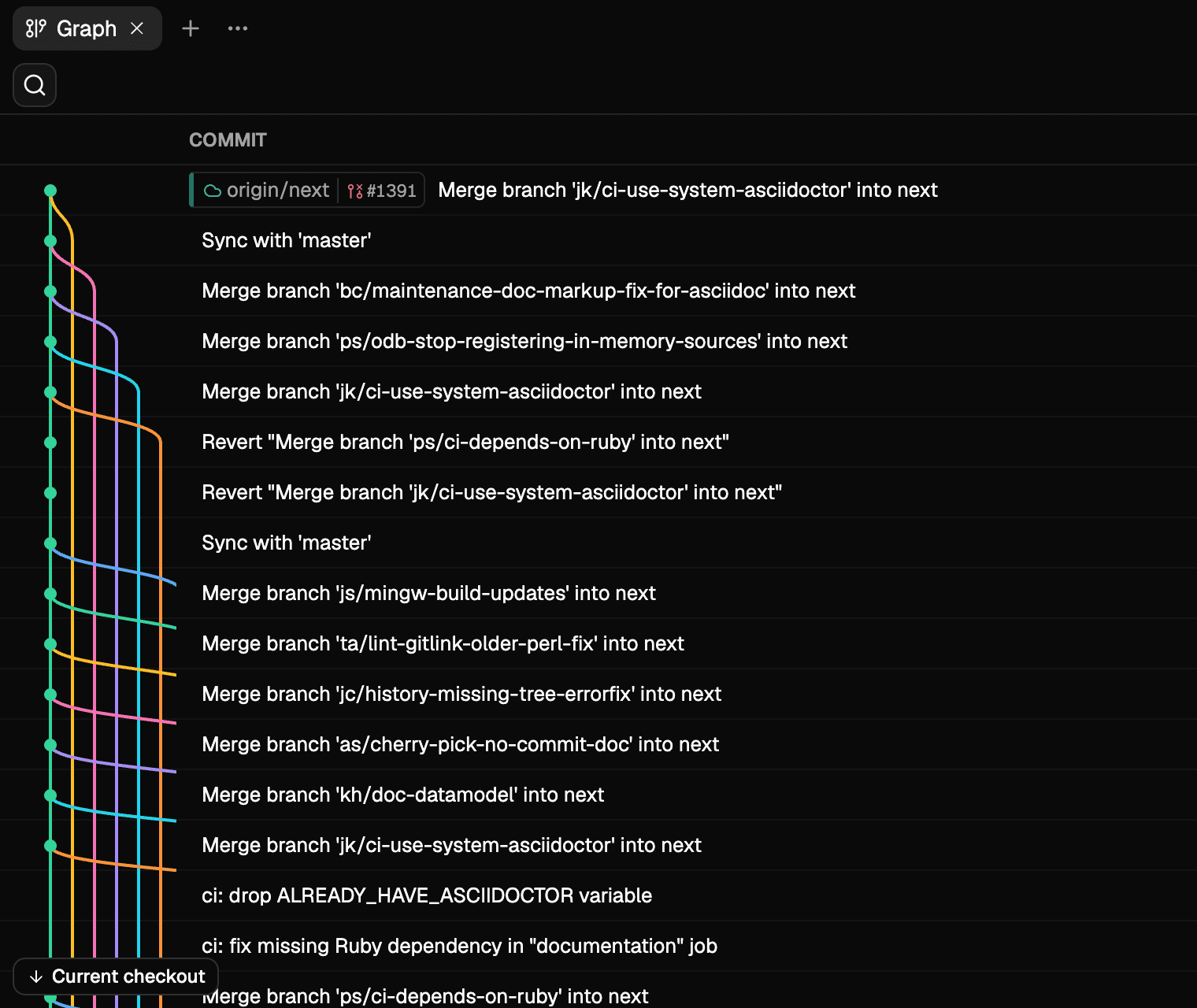
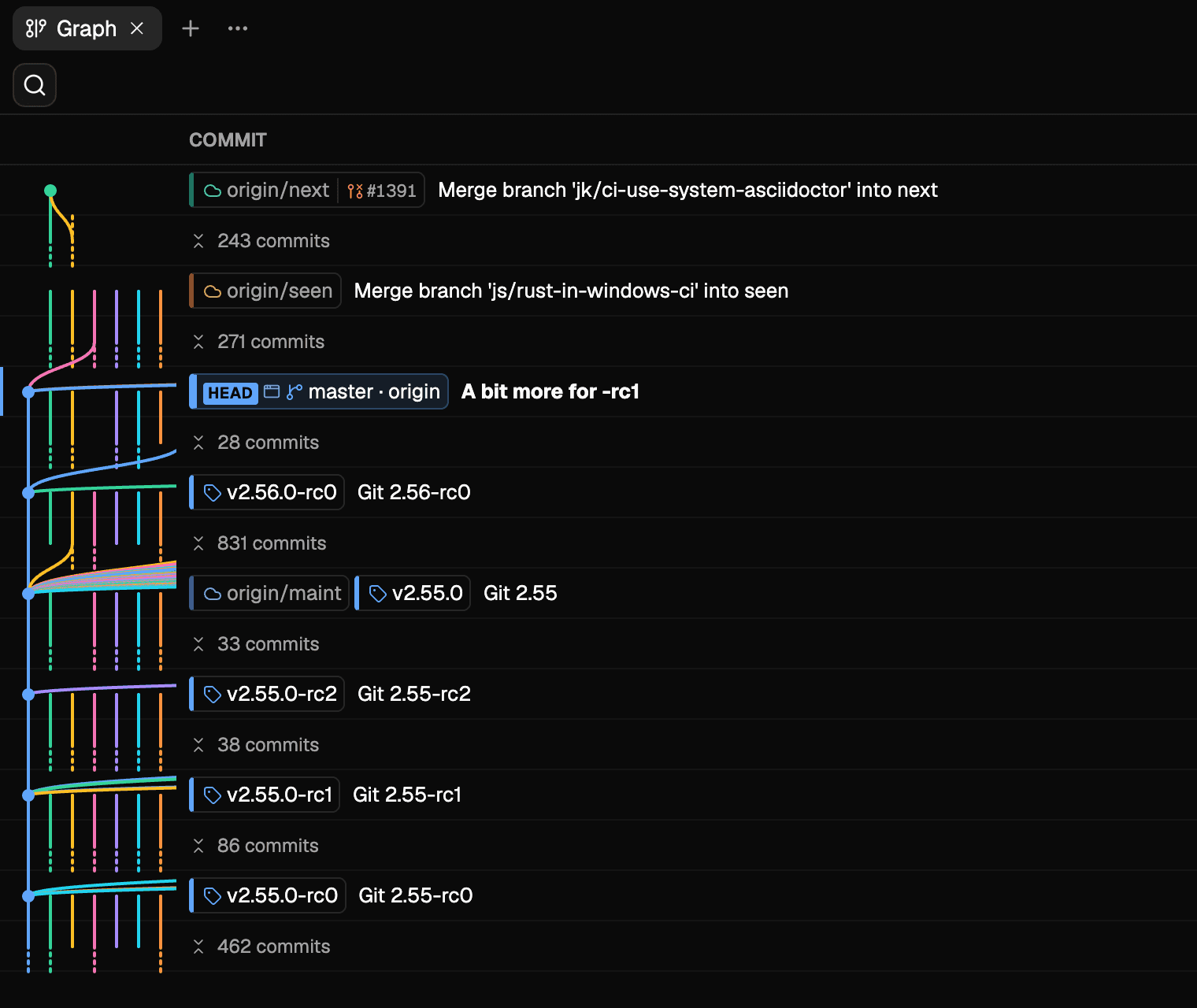
Collapse the commits nothing points at
A branch, a remote branch, a tag, a worktree, a stash or your current checkout earns a commit its own row. Everything between them folds into one run that opens in place. Turn it off and the whole history is back, at the scroll position you left.
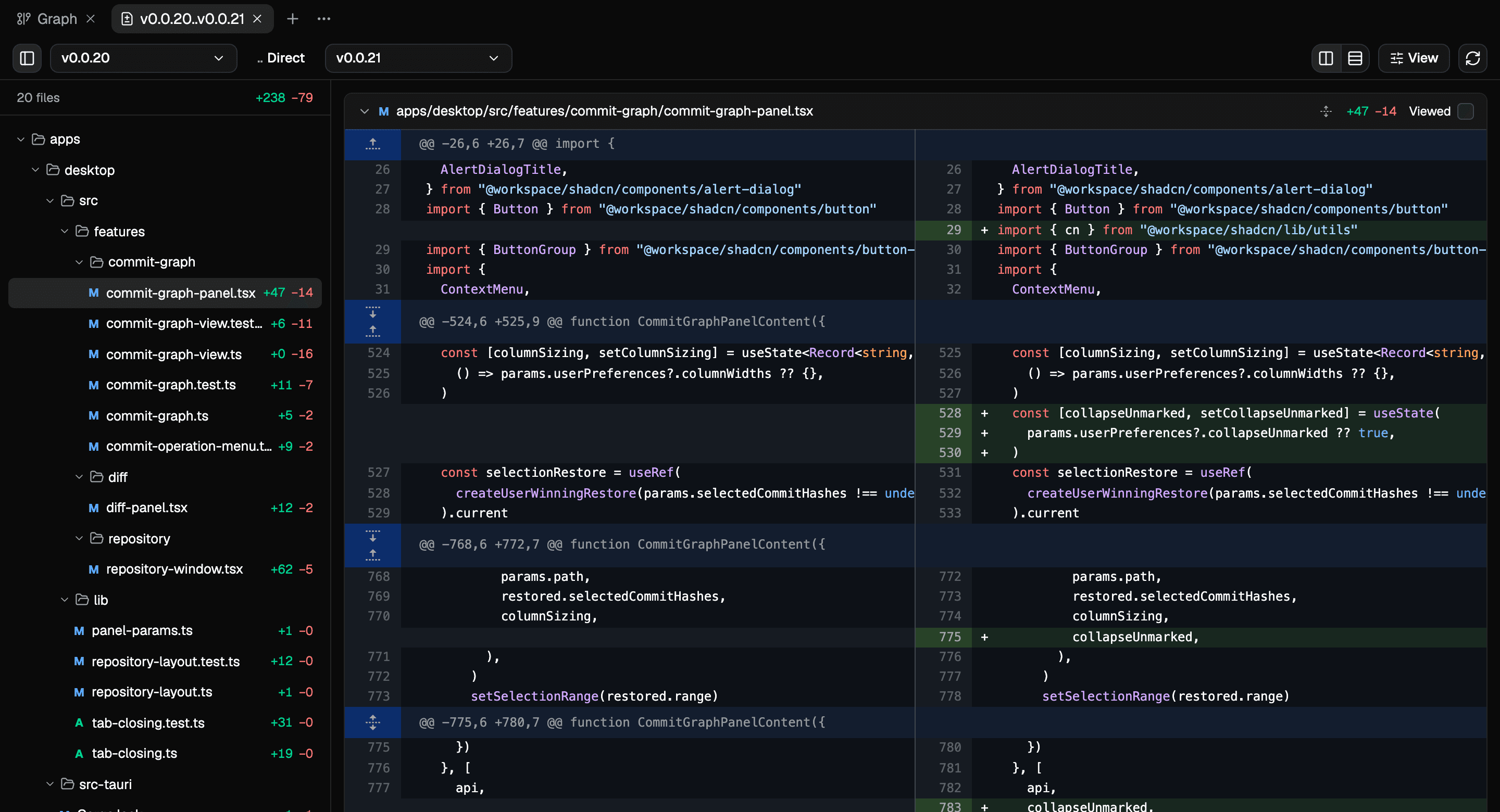
Diff any two references
Pick a branch, tag, commit or revision on each side and read the difference between them, either directly or from the point the two sides forked. The files you have read stay marked, keyed to the patch you read them at, so a rebase or a force push brings back only what actually changed.
- Split or unified, per tab
- Read a comparison without its whitespace
- Fold a file away from its header
- Filter down to what you have not read
- Images before and after, with their dimensions
- A root commit against the empty tree
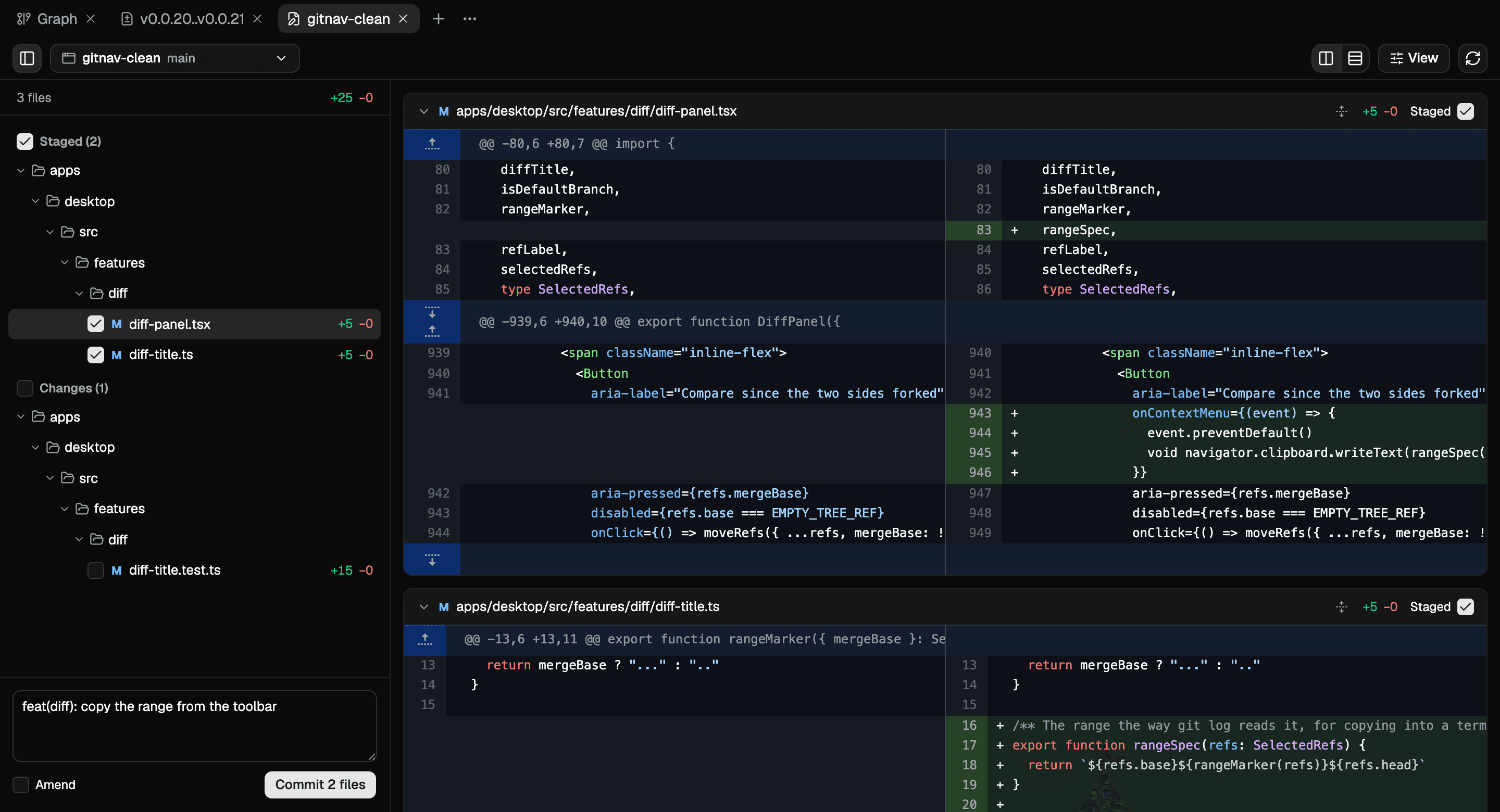
Stage and commit beside the graph
A working tree tab lists what is staged and what is not, in the same cards the diff uses. A file's checkbox is the index itself, so staging done in a terminal or an editor shows up here and staging done here shows up there, and a partially staged file reads against HEAD and against the working tree separately. Write the message and commit. The tab belongs to one worktree and moves between them from its toolbar; a branch chip in the graph opens it on the worktree that branch is checked out in.
Operations that say what they will do
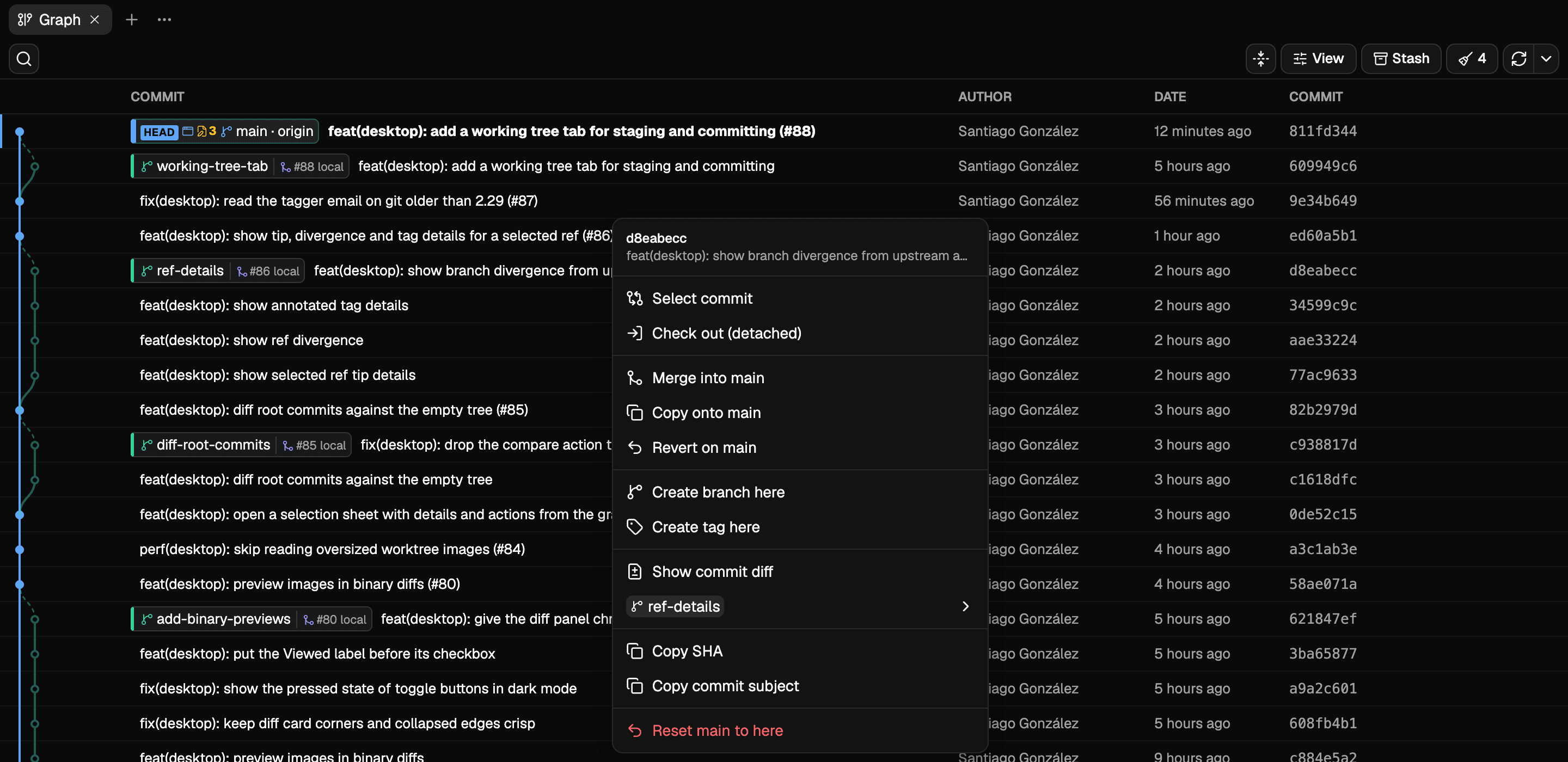
Twenty-one operations, from checkout and merge to rebase, cherry-pick, revert, reset and push, read off the two things you picked and offer only what applies to them. Each one predicts its conflicts before it runs and reports every reference it moved, with one button to put them back.
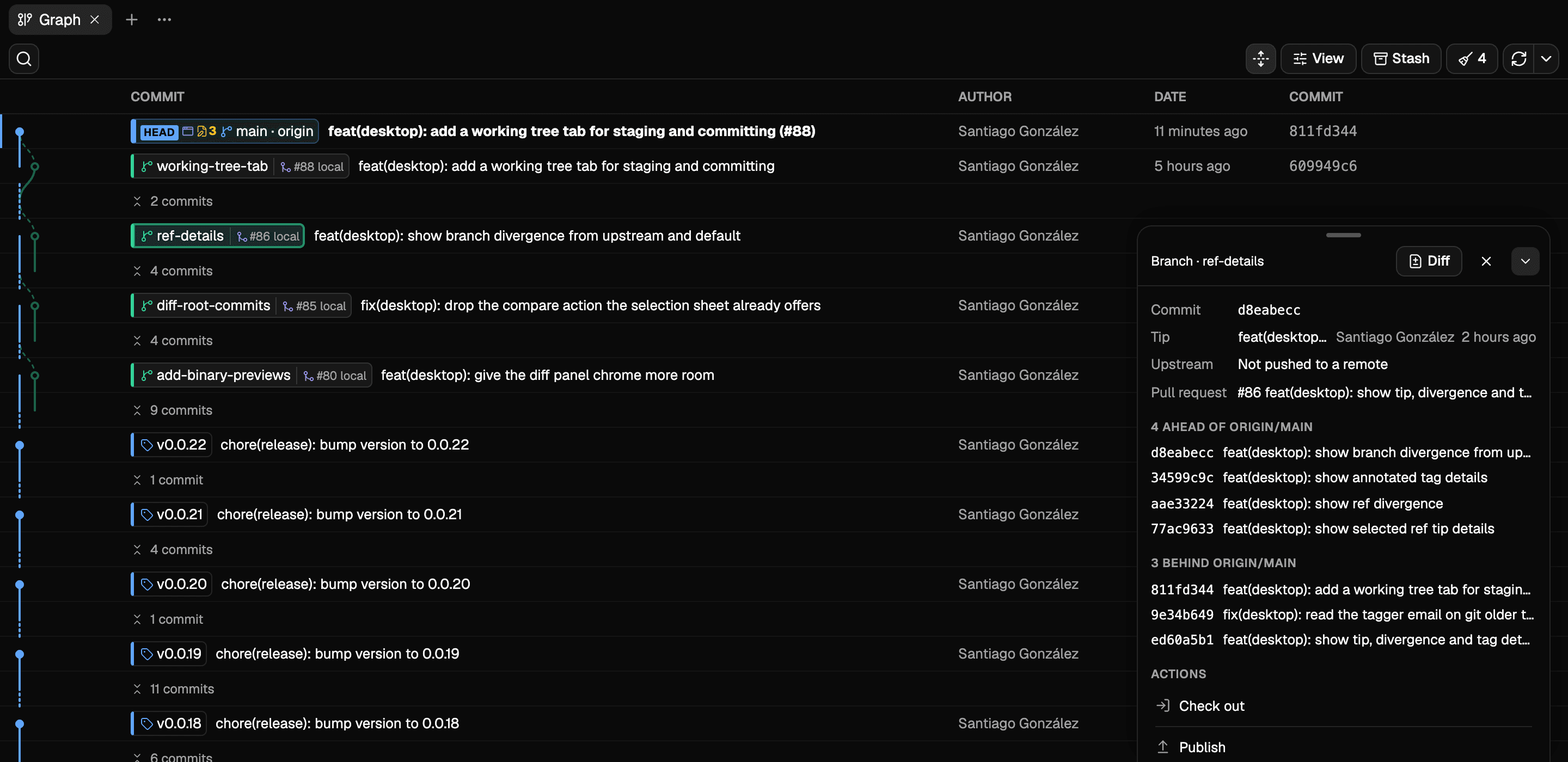
Select a branch or a tag and a sheet beside the graph reads out where it stands: the tip, the upstream, the pull request raised from it, and the commits it is ahead of and behind the default branch, with the operations that apply to it underneath.
Delete the branches a squash merge left behind
git branch --merged can miss them. A squash merge combines the branch's changes into a new commit without making its original tip an ancestor of the default branch. Git Nav matches by content instead, and previews what it would delete grouped by reason: a merged pull request whose head matches your local tip, a branch with no commits ahead of the default branch, and a branch whose changes already sit on the default branch as one squashed commit.
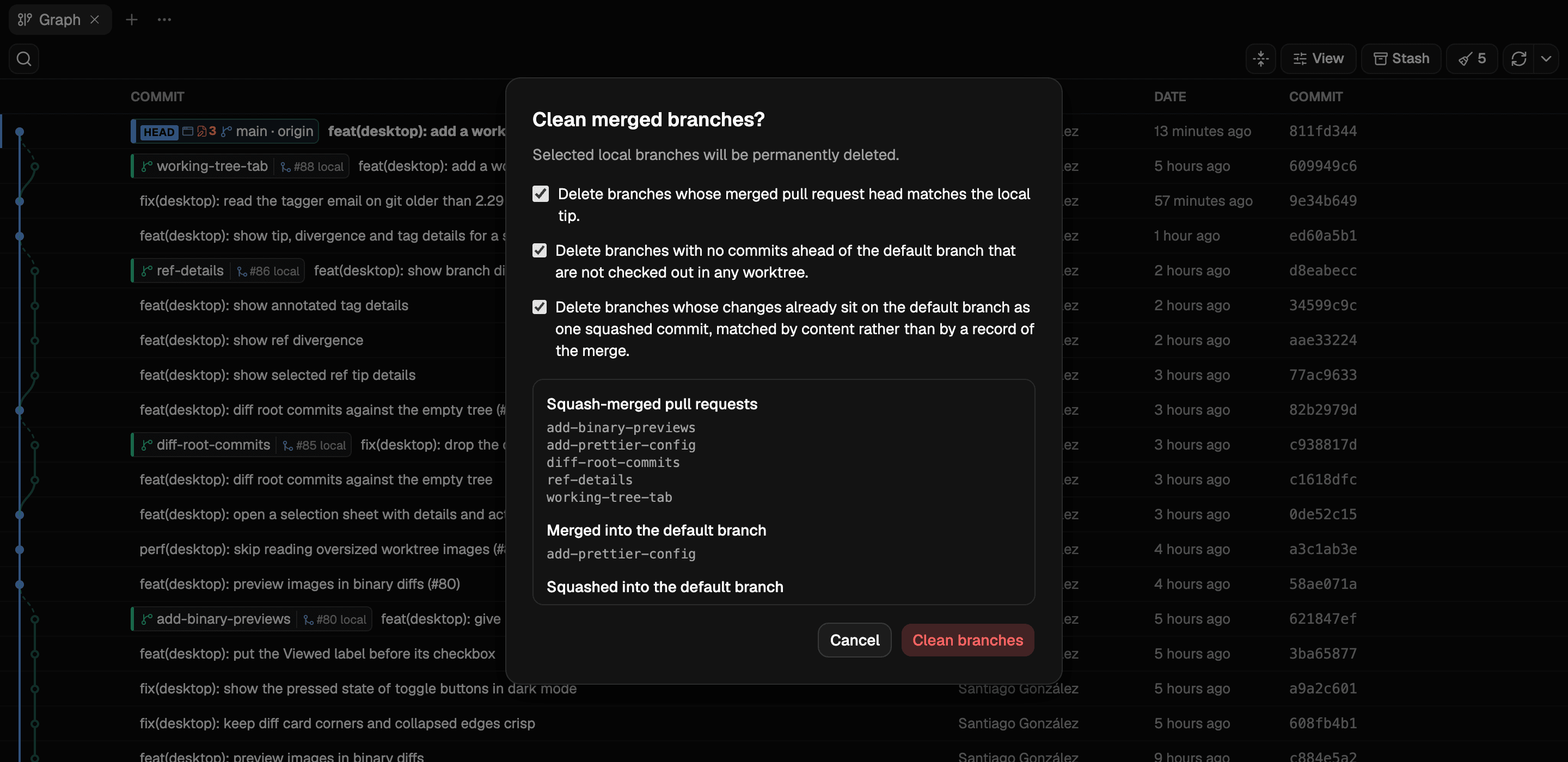
Why squash-merged branches stay behind and how to clean them up
And the rest of it
Every worktree, beside the repository
Opening a repository lists the worktrees checked out next to it and the branch each one holds. Open one in Git Nav, an editor, a terminal or the file manager.
Pull request state on the branch
A branch chip carries the pull request raised from it and whether it is open, merged or gone. It reads through the gh CLI, so it uses the GitHub login you already have.
Reachable from your tablet
git-nav serve --host 0.0.0.0 turns on sharing and prints a URL holding a token. The same repositories, read from another device on your network.
Tabs that survive the day
Graphs, diffs and working trees open in tabs you can split and drag. The layout is saved per repository, and a closed tab reopens from the keyboard.
Search that reaches the whole graph
Find a branch, tag or commit and land on it, including inside a collapsed run, which opens where it sits.
Updates that find you
The app looks for a new version in the background. An installed build updates itself from a signed release; an npm install tells you the command to run.
Install it
As an installer
A .dmg for macOS, a .exe for Windows, and .AppImage, .deb and .rpm for Linux, on both x64 and arm64. Once installed, the app updates itself from signed releases.
macOS, Windows and Linux. Free and open source.
The macOS build is signed and notarized, so it opens straight away. Windows is not signed yet, and SmartScreen warns on the first launch: choose More info, then Run anyway.
From npm
Installs the launcher and the binary for your platform, puts git nav on your path, and on Windows arrives without the mark a download carries, so SmartScreen stays out of the way.
npm install --global git-navgit nav .All downloads and installation requirements
Read it from another device
Sharing serves the same app over HTTP and prints a URL holding a token, which the browser keeps as a cookie. Branch deletion and rebasing are reachable over the network, so leave authentication on unless the port is already protected.
git-nav serve --host 0.0.0.0Questions about Git Nav
- Is Git Nav free?
- Yes. Git Nav is free to download and use, with source code available under the MIT license.
- Which operating systems does it support?
- macOS, Windows and Linux, with x64 and arm64 builds. See downloads and requirements for the installers and npm option.
- Do I need a GitHub account?
- The core Git features work with local repositories. GitHub pull request state is optional and uses your existing login through the gh CLI.
- Can I keep using my terminal and editor?
- Yes. Git Nav reads your repositories and stages through the same Git index. Changes staged in one place show up in the other. See how staging works.
- Does collapsing the graph change my history?
- Collapsing changes the graph's display. The commits remain in your repository, and you can expand a run in place or show the full history again.
- Can I work on more than one branch at once?
- Use Git worktrees to check out branches into separate directories. Git Nav lists those worktrees and opens their changes separately. Follow the worktree guide.
Get more from your Git workflow
Practical guides to the Git behavior behind the graph, the diff and the working tree.
Delete squash-merged Git branches
Find the branches a squash merge left behind, with a reason for every cleanup candidate.
Use Git worktrees with a Git GUI
Keep a feature open while you review or fix another branch in its own directory.
Compare Git branches: two dots vs. three dots
Choose the comparison that answers your question, then keep track of the files you have read.
Stage and commit changes in a Git GUI
Review what will go into a commit while keeping the GUI and terminal in sync.